
Automate leave process in your company. Create various time-off rules for different offices/departments, reduce time for approvals.
Start a 30 days free trial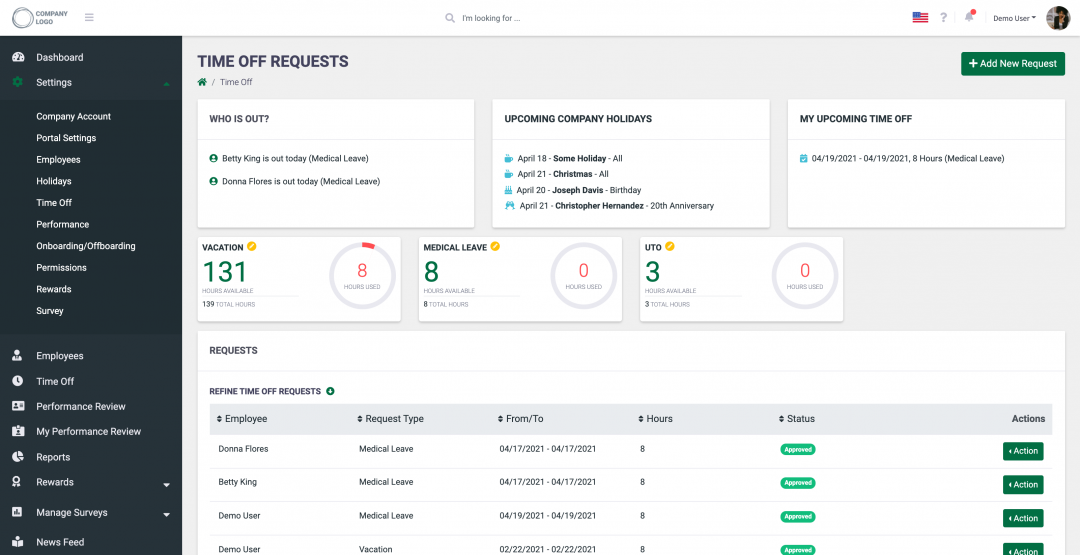
Manager, HR or company owner can apply a different number of hours for different employees from different offices or departments.
Each employee can see their own time allocated for vacation, sick leave, etc.
The time-off request process can take even less than 1 minute: create a simple request and wait for approval. Medical leave can be approved automatically (based on settings).
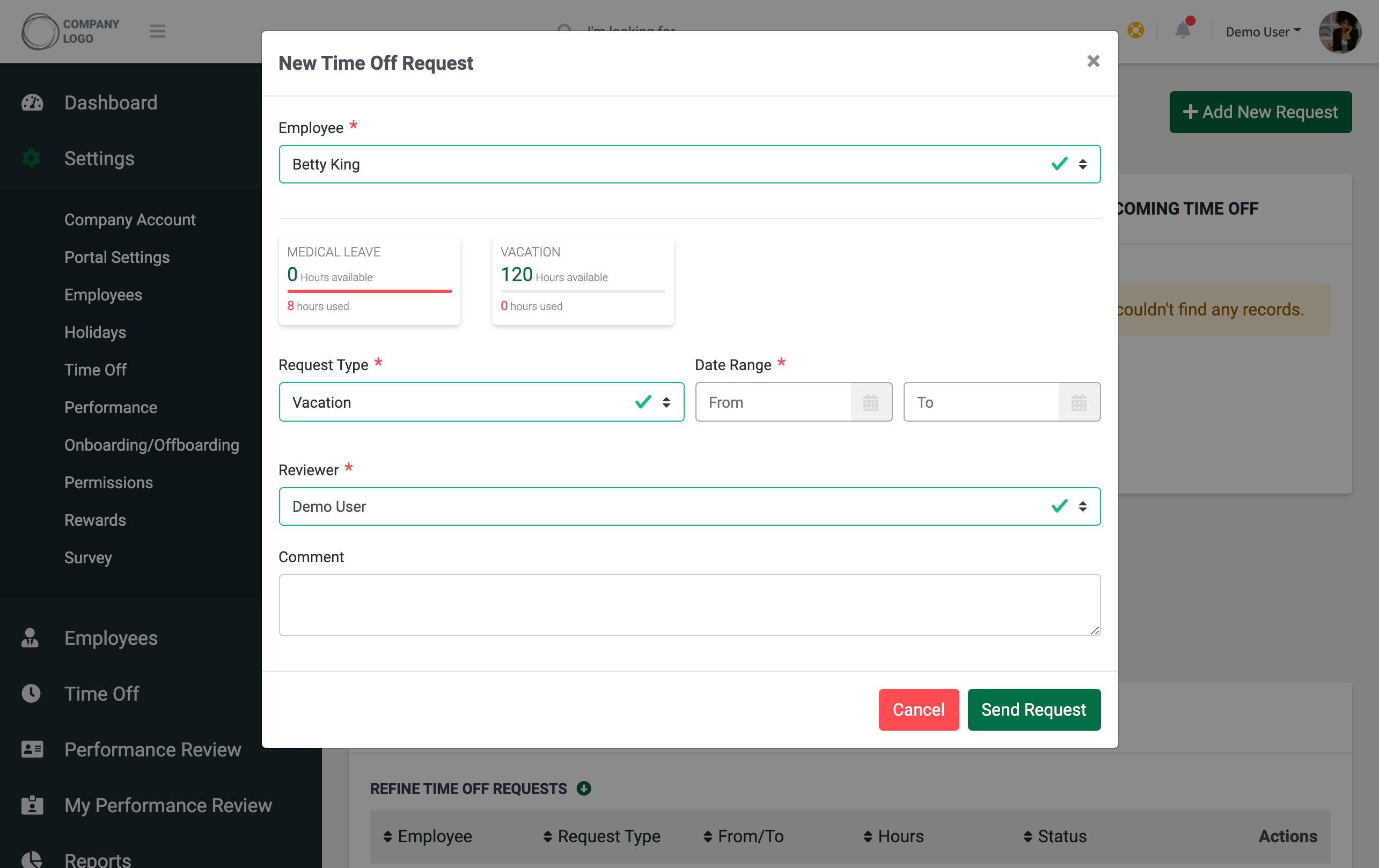
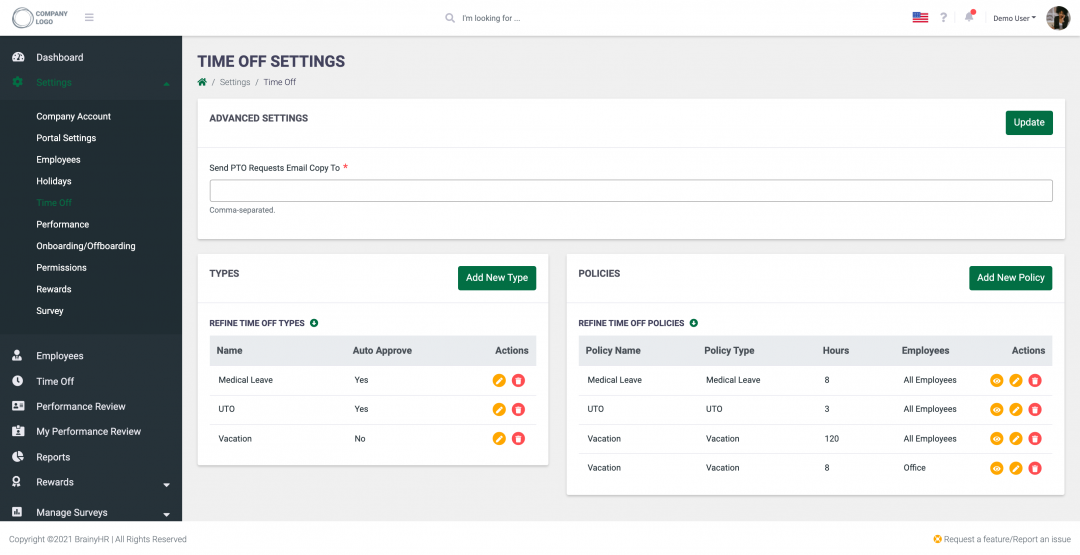
You can apply a different number of hours for different employees from different offices/departments
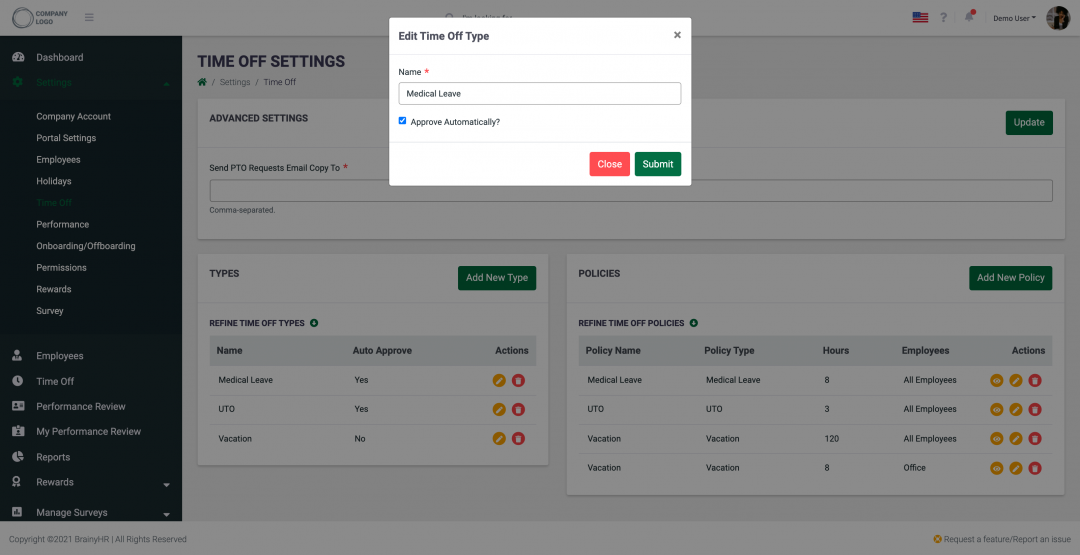
If it is a medical leave, the person cannot wait until the company will approve the request, so for such cases, you can setup auto-approval
Helpful widgets: who is out, upcoming holidays. All employees will know who is absent today
You can accrue hours (e.g., vacation) only after a certain time, for example - six months after starting work in the company. Or employees can request a vacation only 2 weeks before.

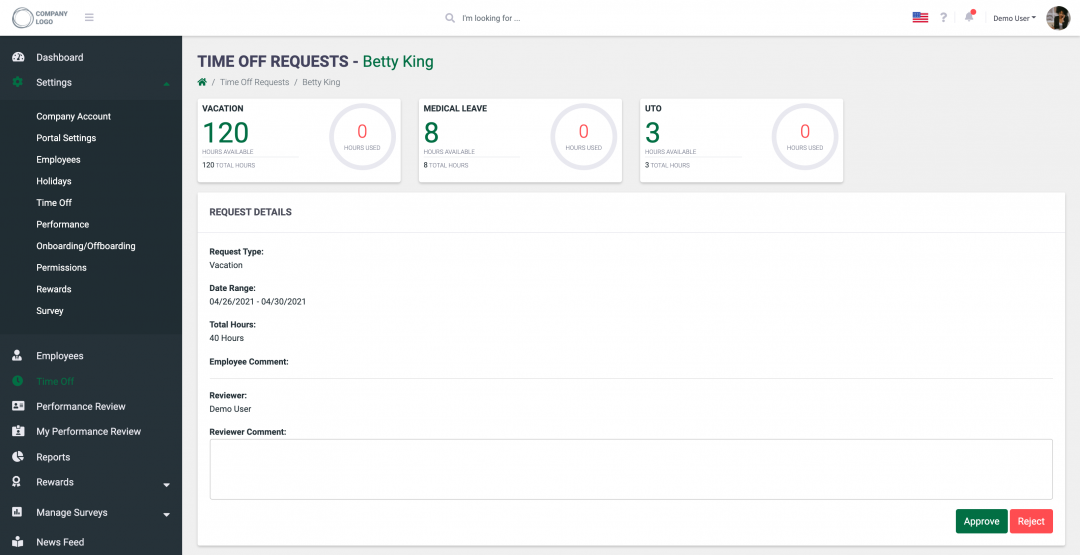
Manager, HR, or company owner receive an email notification that someone wants to use their time-off, can easily cancel or approve the request. Managers and HR have the right to add or subtract the number of hours for certain employees.